Find a faceless reels alternative that fits your process
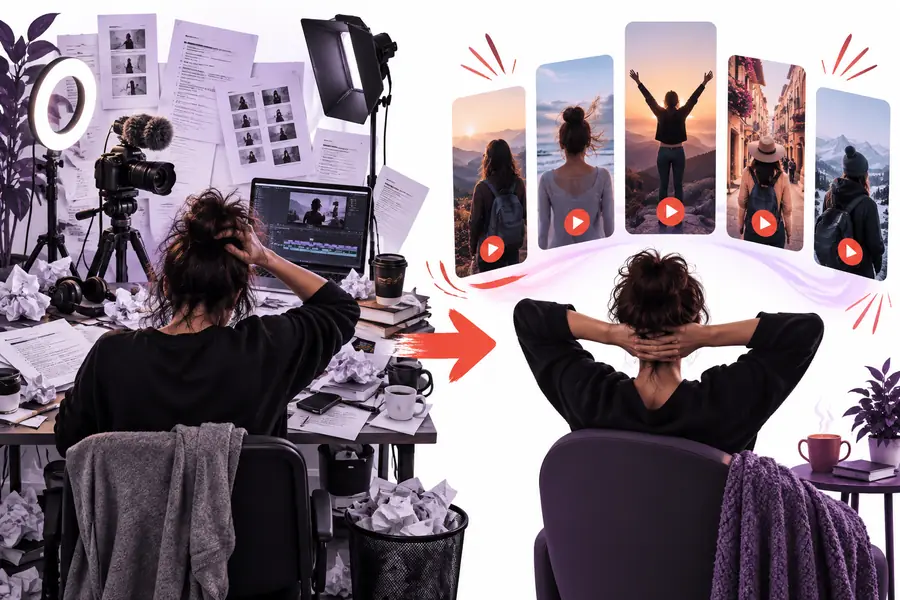
Facelessreels gives you a place to start a faceless video without appearing on camera. If you need a faceless reels alternative, compare that starting point with building every scene in a manual editor: the better choice depends on how much control you need and how much assembly you want to do yourself.
Where a simpler workflow stops helping And what to do instead
Neither an assisted starting point nor a manual timeline removes the need to check what viewers will actually see and hear.
It cannot verify your claims
A polished reel can still contain a wrong date, misleading statistic, or oversimplified explanation. Treat generated wording and suggested visuals as a draft, especially for health, finance, history, or current events.
WorkaroundCheck each factual statement against reliable sources before publishing, and rewrite anything you cannot substantiate.
It cannot clear usage rights for you
Faceless does not mean free of copyright concerns. Music, footage, images, voices, and logos may have different permissions depending on their source and your intended use.
WorkaroundUse media you created or have permission to use, and keep a record of the applicable licenses.
It cannot guarantee a distinctive voice
A quick starting draft can feel generic when many videos follow the same hook, pacing, and visual pattern. A manual editor offers more direct control, but originality still comes from your ideas and choices.
WorkaroundAdd a specific point of view, replace generic examples, and revise the opening around your audience's actual question.
It cannot promise platform performance
No creation route can ensure reach, retention, or a particular result on a social platform. Format conventions also change, so a video that looks ready in an editor still needs a final review.
WorkaroundPreview on a phone, check captions and safe areas, then use your own published results to guide the next edit.
Step by step
Compare both routes using one video idea
Use the same brief for each route so you compare the work involved rather than two unrelated creative concepts.
1
Write a narrow brief
Choose one audience, one takeaway, and one opening hook. For example, explain a common household mistake in a short vertical video without showing a presenter. Note any facts that need verification and any visual you must include.
2
Build a draft both ways
Start one version in Facelessreels. For the manual version, assemble your own script, media, captions, audio, and timing in an editor. Track where you make creative decisions and where you spend time looking for assets.
3
Review the finished sequence
Watch both drafts at phone size with sound on and off. Check whether the hook lands, the captions remain readable, the visuals support the words, and the ending gives viewers a reason to remember the point. Choose the workflow you would willingly repeat.
Related paths
Explore the parts of the workflow you want to change
If your decision turns on the starting draft, automation, or access, these focused guides separate those questions from the broader comparison.
Side by side
Facelessreels versus a manual editor A practical comparison
This compares approaches, not guaranteed features of every editor. Your particular tools and source materials can change the amount of work in either column.
Facelessreels starting point
Manual editing workflow
1
First move
Facelessreels starting point
Begin with the video idea and use an assisted starting point to shape a draft.
Manual editing workflow
Create a project, plan the sequence, and gather material before assembling it.
2
Script decisions
Facelessreels starting point
Review the draft wording for accuracy, tone, and a hook that fits your audience.
Manual editing workflow
Write and revise the wording directly before placing it on the timeline.
3
Visual selection
Facelessreels starting point
Inspect each scene for relevance; replace anything that weakens the explanation.
Manual editing workflow
Select or create each asset, then place and time it yourself.
4
Pacing
Facelessreels starting point
Use the draft as a first pass, then judge whether cuts and captions feel rushed or slow.
Manual editing workflow
Set clip lengths, transitions, and caption timing directly from the outset.
5
Creative control
Facelessreels starting point
Useful when you want a direction to react to rather than a blank canvas.
Manual editing workflow
Useful when every visual beat must follow an exact storyboard.
6
Quality check
Facelessreels starting point
Still requires fact-checking, rights checks, phone-size previewing, and final edits.
Manual editing workflow
Requires the same checks, plus inspection of every asset and timeline decision you made.
7
Best-fit project
Facelessreels starting point
A repeatable short-form concept where a workable first draft helps you move.
Manual editing workflow
A tightly art-directed piece with specific footage, motion, or brand requirements.
Visual comparison
What changes when the starting point changes
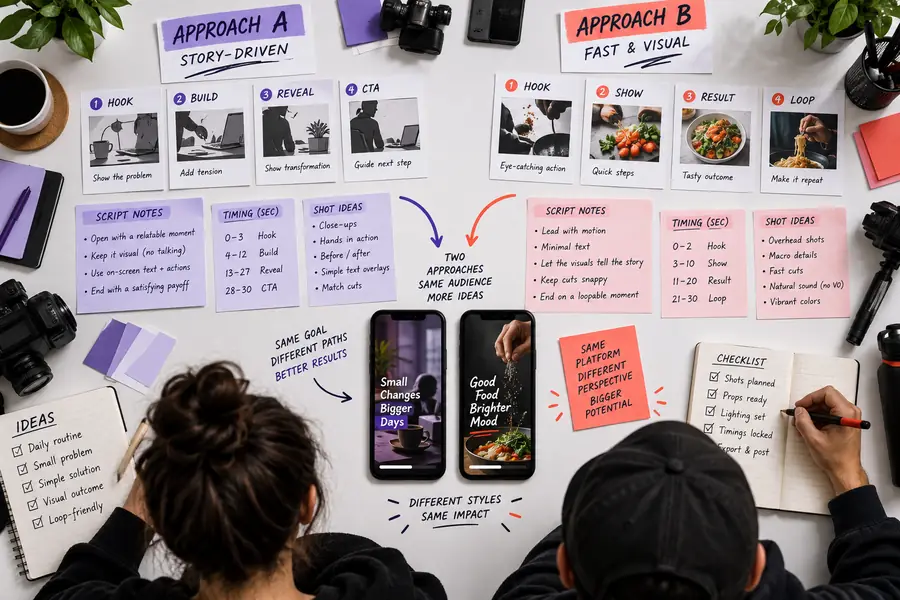
The images illustrate a planning concept and a possible faceless-video look; they are not a controlled test or a promise of a particular output.
Plan the idea
Review the scene
A compelling scene is only part of the job. Compare the opening, factual accuracy, caption readability, and fit with your intended audience before choosing either workflow.
Creator scenarios
Match the route to the person making the reel
The same tool can feel efficient to one creator and restrictive to another. Start with the constraint that matters most in your next project.
The first-time creator
You have a useful topic but no established process for turning it into scenes, captions, and a short narrative.
Try a draft-led route first, then edit the hook and examples yourself. Judge whether it helps you finish a clear video rather than simply producing more material.
You already know the exact shot order and need room for deliberate reveals, custom assets, or unusual pacing.
A manual editor may remain the better finishing environment. Use examples to explore presentation ideas without surrendering control of your storyboard.
Choose a topic you already understand and create a first pass. Then compare it with the effort of building the same concept manually. Keep the route that lets you make the necessary edits, verify the details, and finish a video you are comfortable sharing.
Look at the work you need to do after the first draft, not just how the draft begins. Compare script editing, visual control, caption readability, source checking, and whether you can comfortably repeat the process for your next video.
Yes, if you prefer to choose and time every asset yourself. It can give you direct control over an exact storyboard, but you will also take responsibility for gathering media, assembling scenes, and checking the complete timeline.
Give both routes the same short brief and review the resulting drafts against the same checklist. Check what you can change, how well the visuals support the script, and how much cleanup remains before the video is ready to share.
A different tool can change your starting point, but it cannot supply your perspective. Specific research, examples from your experience, deliberate visual choices, and a revised hook will do more to distinguish a reel than a tool switch alone.
Yes. You can use one route to develop a draft and another for detailed finishing if that suits your process. Check that you have the rights to any media you carry across, and review the final video rather than assuming the first draft is publication-ready.